April 20, 2026
Run Your Shop Smoother with the New EasyBiz POS
The new EasyBiz POS is here! It is simpler to use, faster at the counter, and gives you more control over how your shop runs. You can now set up the POS to match how your business works, and your staff get a modern interface that's easy to navigate from day one.
A Simpler, More Modern Look
The new POS has a fresh design that's easier to get around. We've revised the icons and layout for a much cleaner look, with a more organised navigation that makes it simpler for your staff to find what they need. See where everything is: Navigate through your POS →
Set Up the POS for Your Business
Every business works differently, and your POS should match that. With the new POS, you can choose which screens or features show up on your POS. Running a laundry shop? Set it up for laundry. Running a bag repair service? Set it up for that instead. Add what your team needs, remove what they don't. Your staff only see what's relevant to them. Learn more here: What is EasyBiz POS →
Inbox on the POS
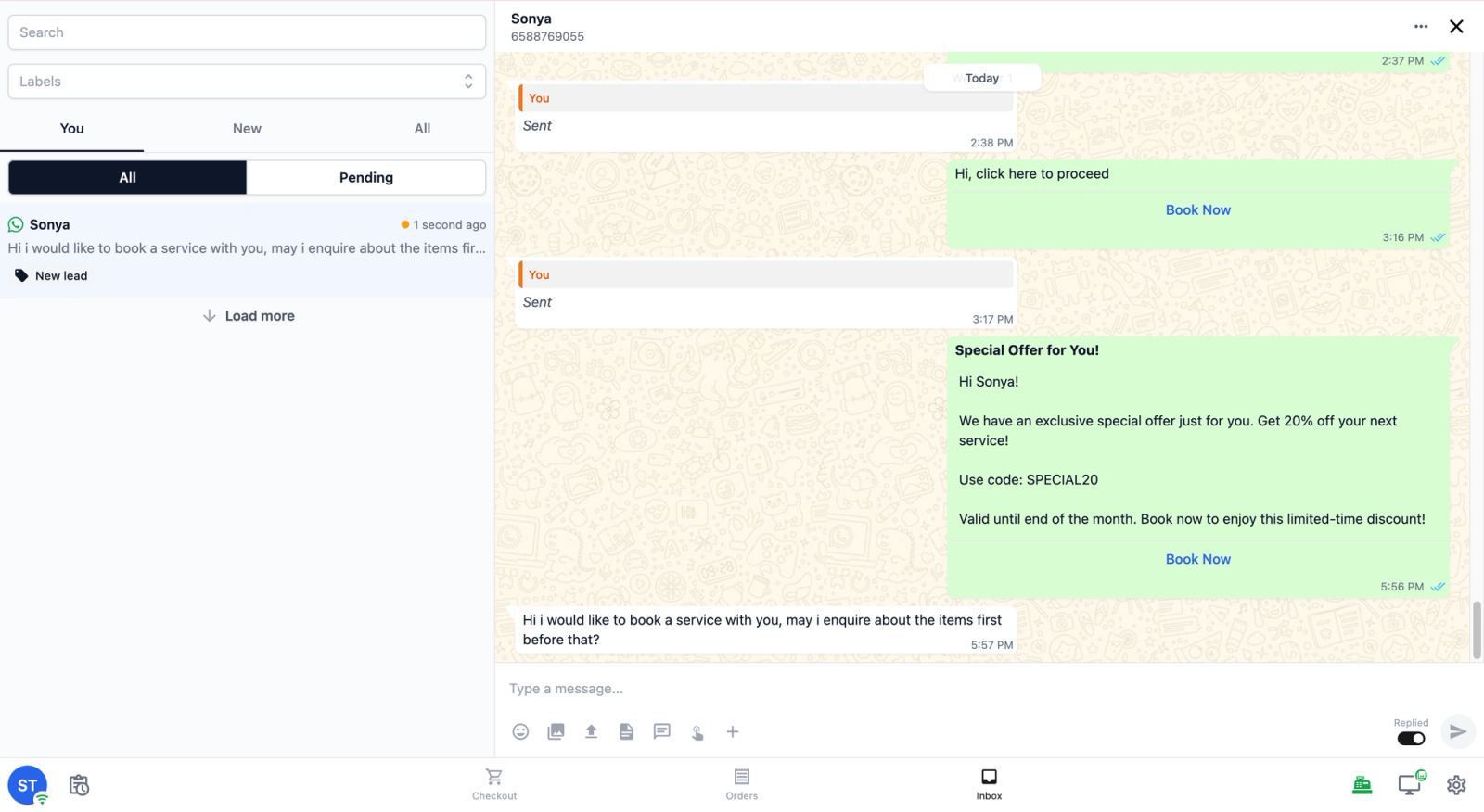
If you use WhatsApp to communicate with your customers, you can add the Inbox feature to your POS. This lets your staff read and reply to WhatsApp messages right from the counter, without switching to a separate app or using their own phone. Learn how to set it up: Set up your Inbox on your POS →
Better Visibility on Your Orders
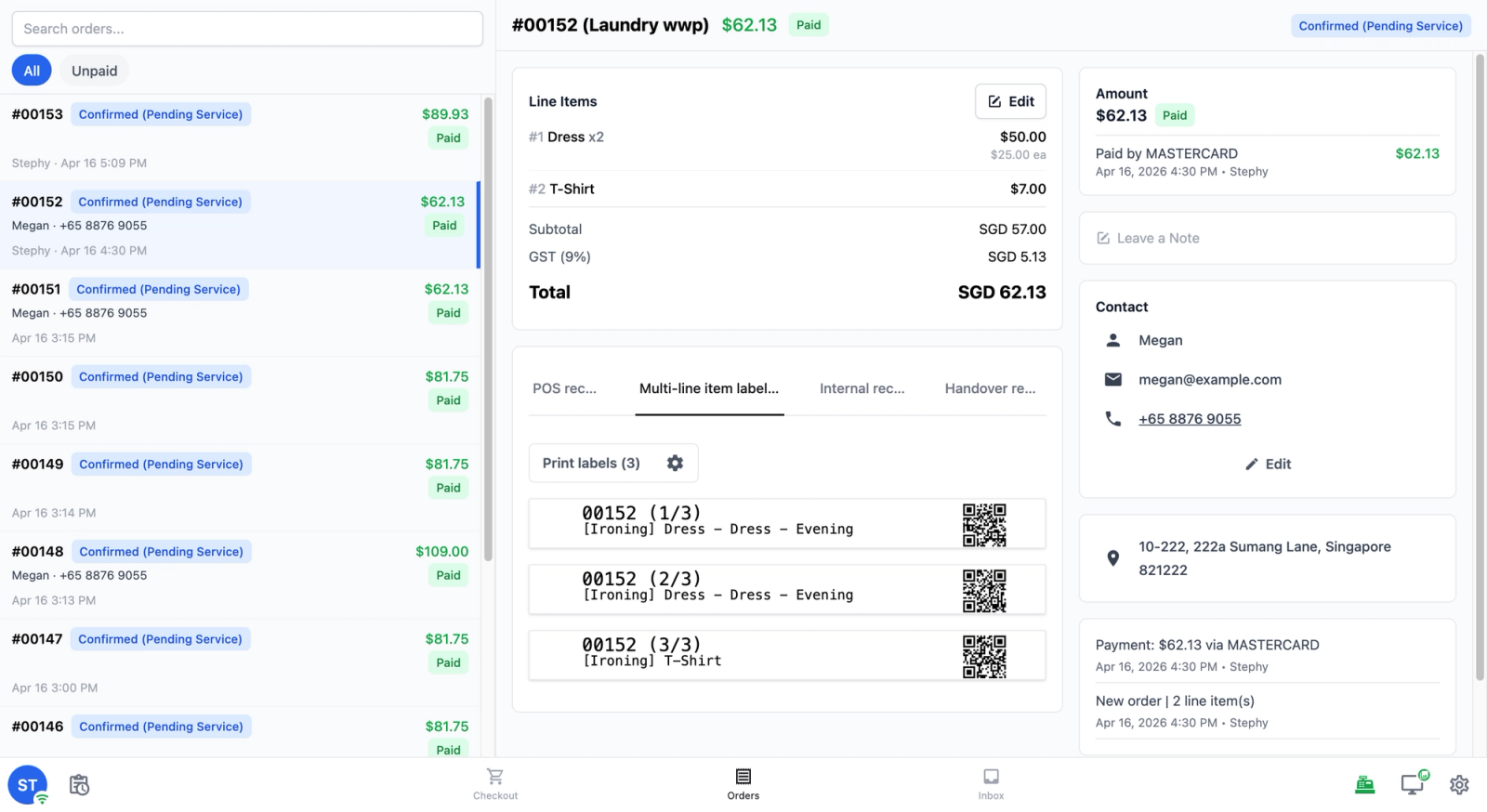
Your staff can now search for an order, tap on it, and see everything in one place: what was ordered, how much was charged, who the customer is, and more. No more switching between screens to find what you need.
See How Your Day Is Going at Any Time
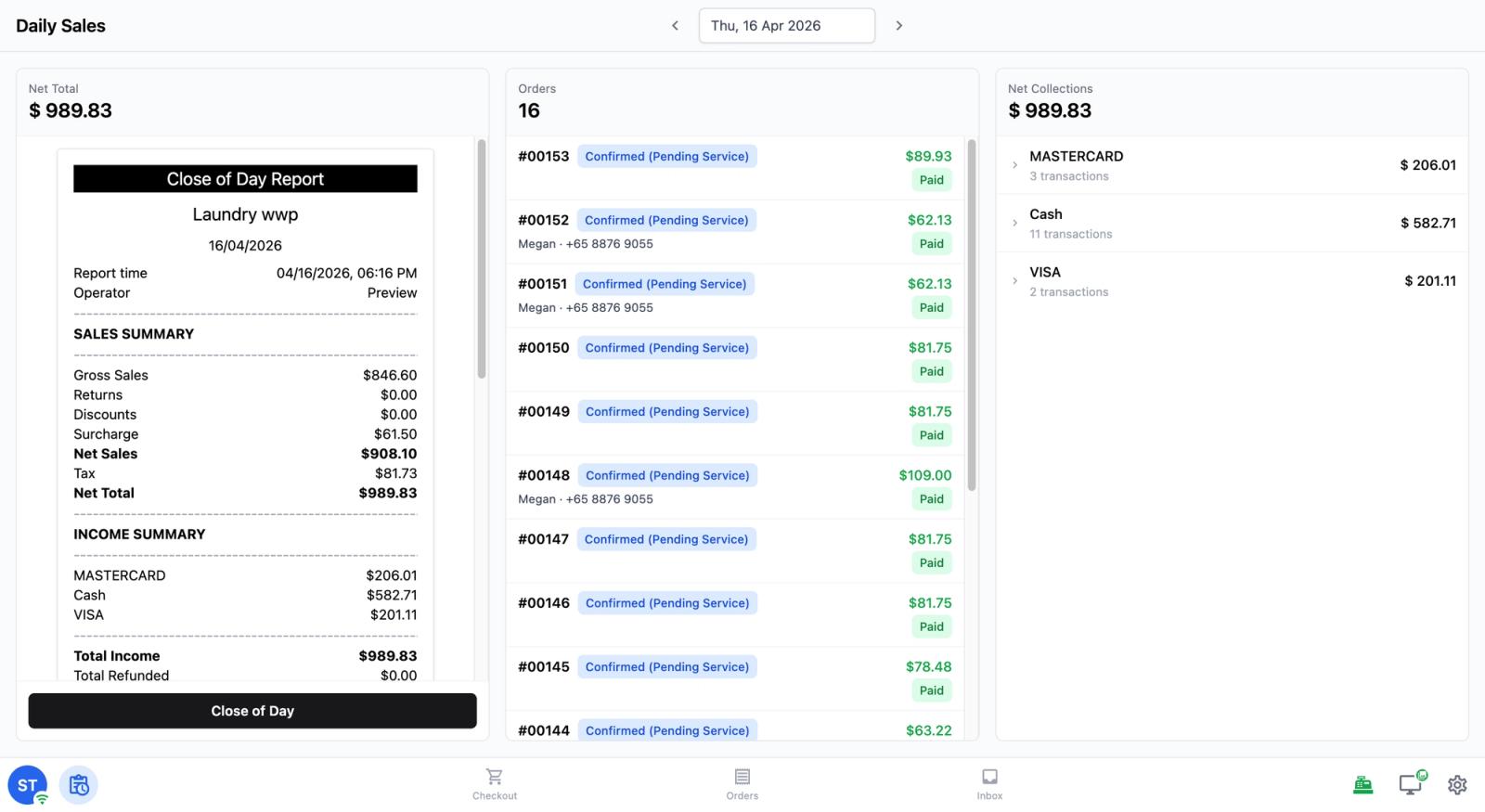
The new Daily Sales screen shows you your total orders, net collections, and how customers paid — all at a glance. When it's time to close up, just tap Close of Day to run your end-of-day report and get a full breakdown of everything that came in. Learn how to set it up: POS: Close of Day Report →
Ready to get started? Set up your new POS and see the difference for yourself. What is EasyBiz POS →
Previous releases