
Introduction to Line Item Flows
In this article
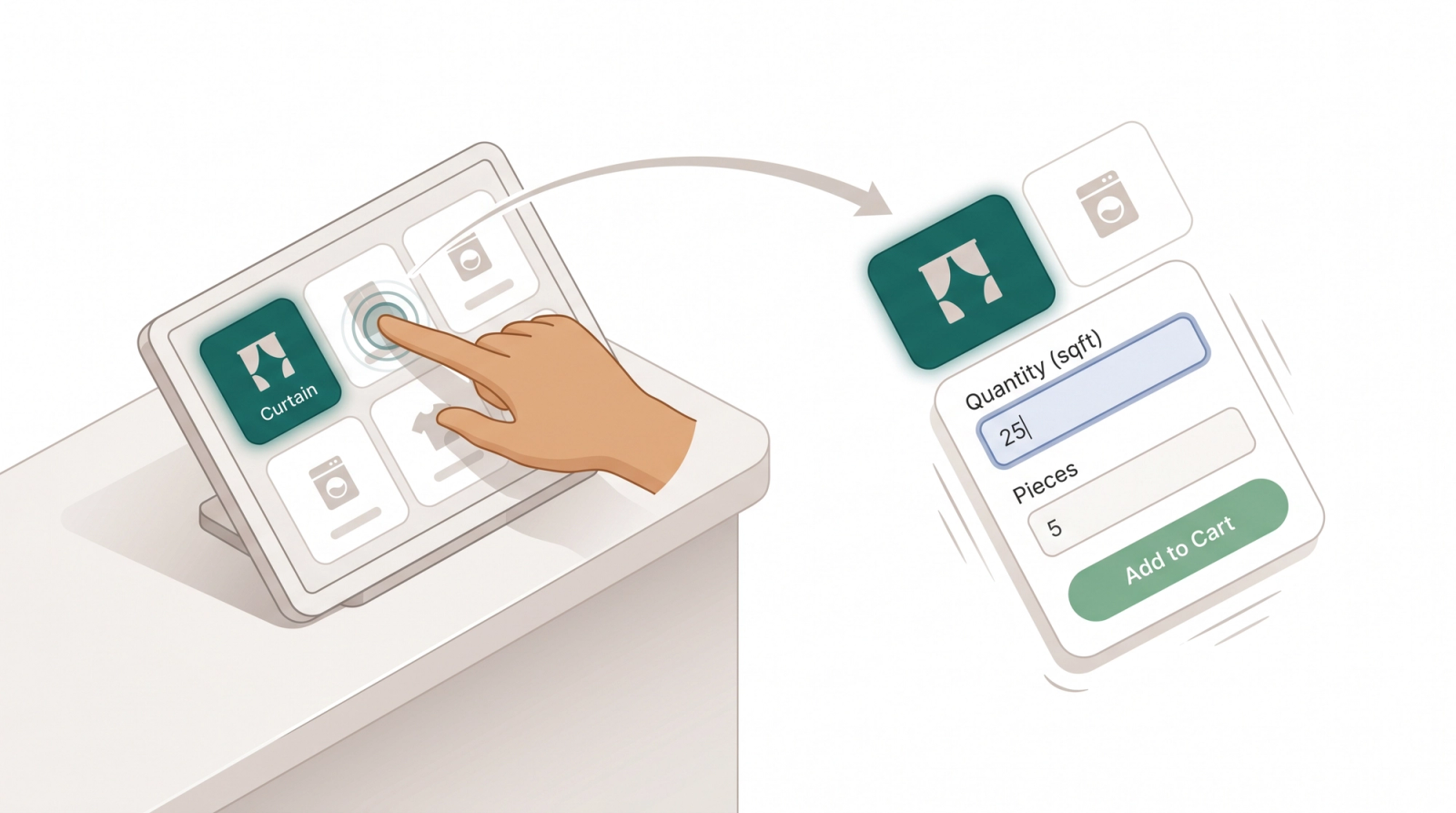
A Line Item Flow is the short form that appears when staff add a specific item to the cart, so measurements and details are captured before the item is priced. Most shops do not need one. Only set one up if you sell items where the price depends on a measurement.
Contents
Contents
First, What Is a Flow?
In EasyBiz, a Flow is a short form that appears at a specific moment during an order, to collect extra information or capture evidence like a signature or a photo. Flows keep your order screen clean by only showing what staff need to fill in at that moment. There are several types of Flows, each tied to a different moment in the order:
| Flow type | When it runs |
|---|---|
| Line Item Flow | When staff add a specific item to an order |
| Checkout Flow | Just before an order is confirmed at POS or online |
| Close of Day Flow | When staff close the day at the POS counter |
| Packing Flow | When staff pack the items at the end of production. |
| Delivery Flow | When the driver delivers the order to the customer. |
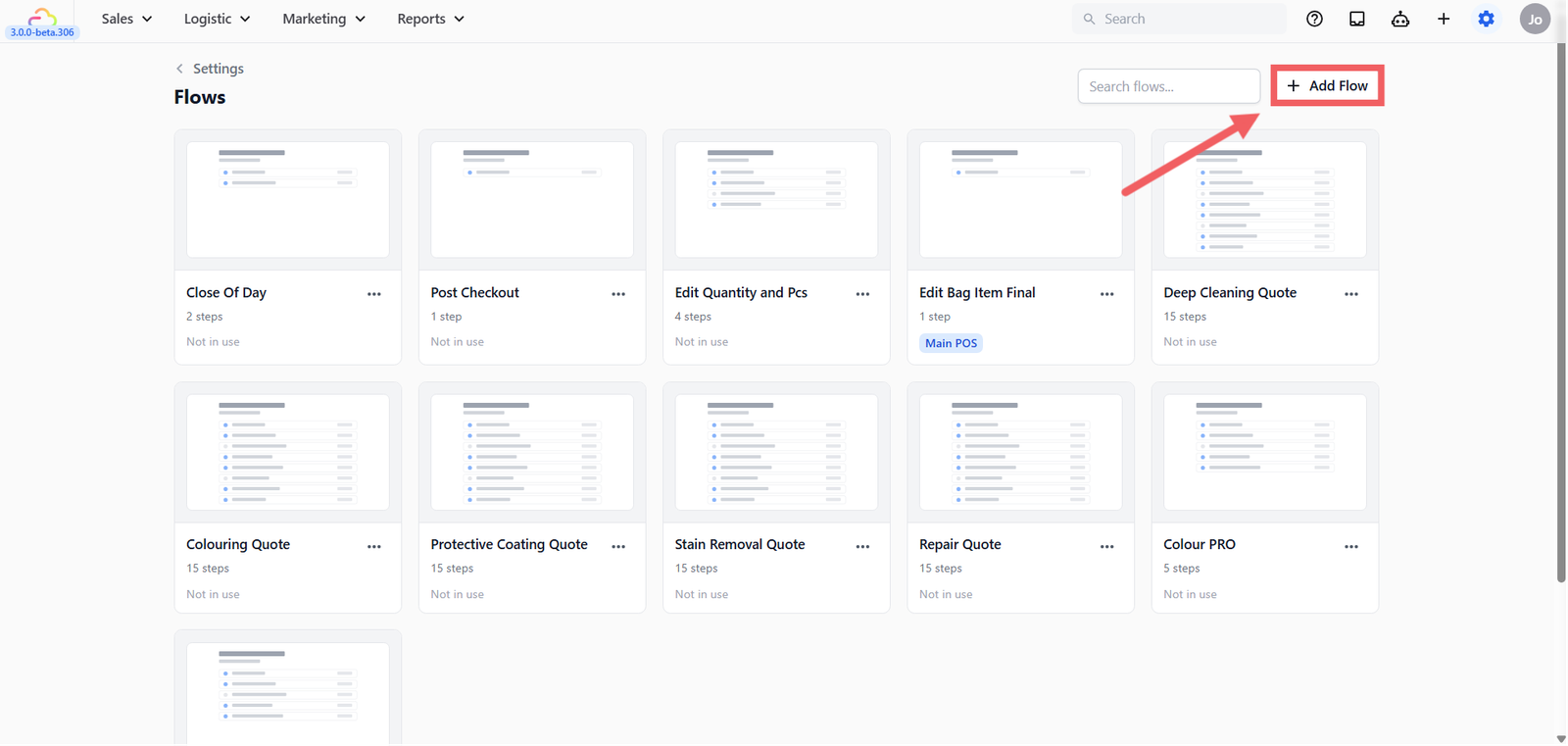
All flows are created and managed in the same place. To find it:
- Click the ⚙️ Settings icon in the top-right corner →
- Under the App Studio section, click Flows.
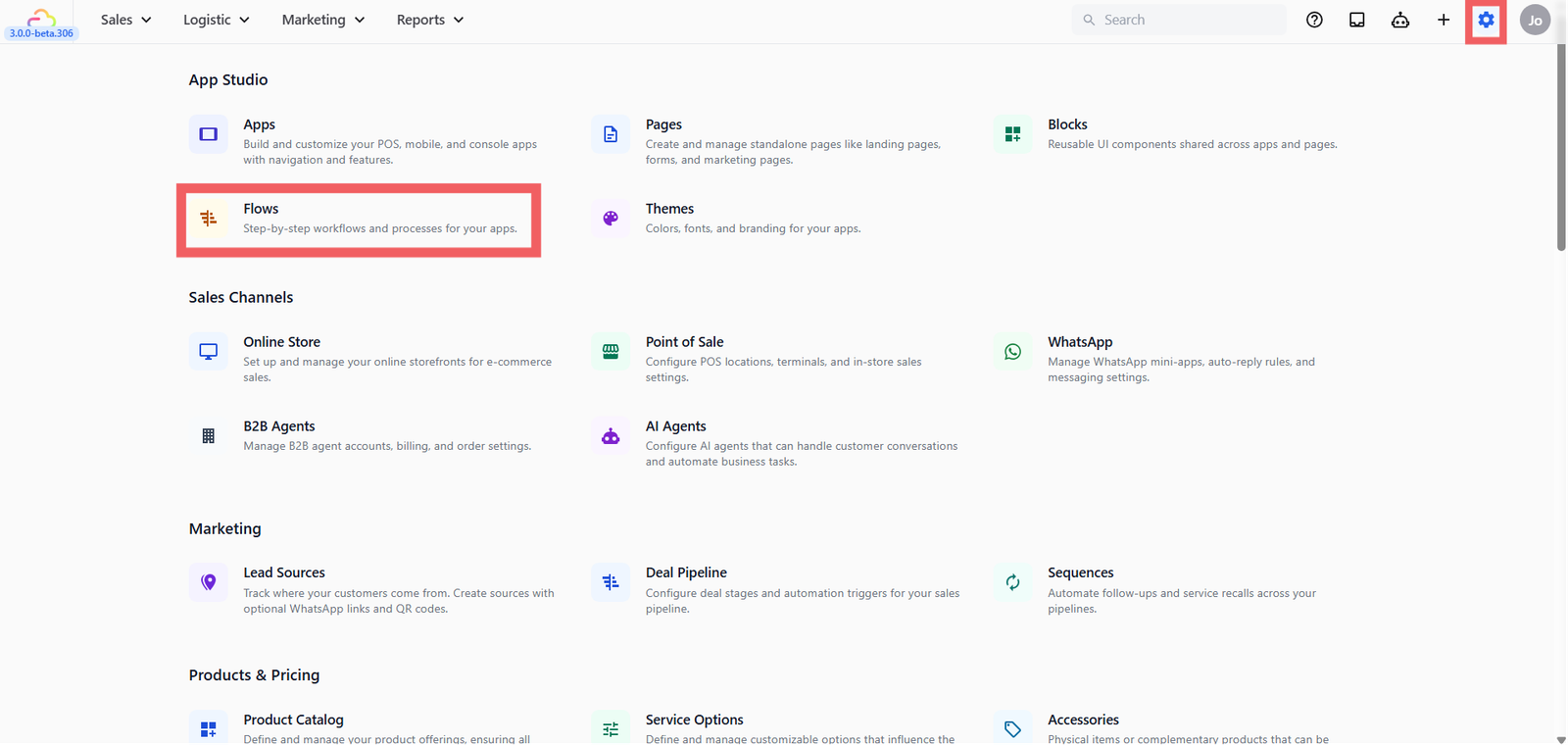
- You will see all your existing flows listed here. To add a new one, click + Add Flow.
This article focuses on Line Item Flows. The rest have their own guides.
What Is a Line Item Flow?
A Line Item Flow is attached to a specific catalog item. When staff tap that item in the cart, the flow appears on the same screen and asks for whatever information that item needs before it can be added. Once staff fill it in and confirm, the item lands in the cart with all the details recorded and the price calculated.
Here are some example for what staff are asked for depends on the item and the business:
- For a laundry shop -> A curtain needs its measurement before the price can be calculated. Staff enter the quantity for example 25 sqft and the number of pieces for example 5. The system calculates 25 × $3.50 = $87.50 and print 5 labels, one per panel. No manual price entry, no guessing how many labels to print.
- For a bag repair shop -> A bag needs its color, serial number, and a photo of its condition recorded at drop-off before any work starts. Staff fill in the details, and everything is saved to the order for the repair team.
The flow is the same mechanism in both cases, it just collects different information depending on what you configure.
When to Use This
Use a Line Item Flow when an item needs extra information captured at the time of drop-off that cannot be determined from the price list alone.
For laundry:
- Items priced by weight (bulk wash, duvets, comforters)
- Items priced by square footage (curtains, drapes, carpets)
- Items priced by length (rugs, blinds)
For bag repair
- Items that need condition photos, color, serial number, or damage notes recorded at intake
If every item has a fixed price per piece and needs no extra details at drop-off, you do not need Line Item Flows.
How It Works
You set up two things:
- A Line Item Flow in Settings → App Studio → Flows which is the form that appears when staff add the item.
- A trigger rule in your Business Unit which items activate that form.
When staff tap a tagged item at the counter, the form appears inline. They fill it in, the price calculates (where applicable), and the item lands in the cart. Normal fixed-price items with no flow attached still work as tap-and-add.
FAQs
What is the difference between a Line Item Flow and a Checkout Flow?
A Line Item Flow runs when a specific item is added — it is attached to a catalog item and runs once per line item. A Checkout Flow runs once for the whole order just before it is confirmed — for example, to collect a delivery instruction or a signature.
Do I need to set this up before going live?
Only if your items need extra details captured at drop-off. Most standard laundry shops with fixed-price items go live without any Line Item Flows configured.
Can one flow cover multiple items?
Yes. Create one flow and attach it to as many catalog items as you like. A single Measurement flow can cover curtains, rugs, and duvets if they all use the same steps.
Can I use this for bag repair intake?
Yes. You can configure a flow with photo capture, text fields for color and serial number, and a condition selector. The flow runs the same way — staff tap the item and fill in the form before it is added to the order.
What's Next
Choose the guide for your business type:
- Laundry: [Setting Up Line Item Flows for Measurement-Based Items]
- Bag Repair: [Setting Up Line Item Flows] (Coming Soon)
Give feedback
Up next
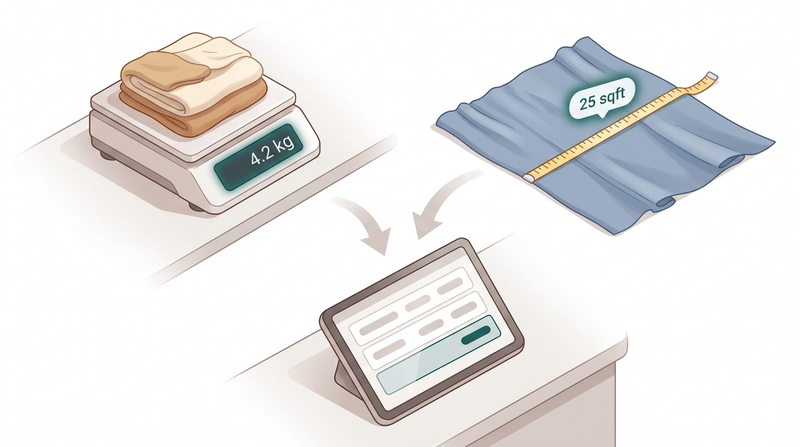
Setting Up Line Item Flows for Measurement-Based ItemsIf you clean curtains, drapes, or any item charged by size or weight, use a Line Item Flow so staff can enter measurements directly when adding the item, the price calculates itself, and the right number of labels prints automatically.
Read more