
WhatsApp Templates
In this chapter
WhatsApp Templates are pre-written messages you set up once and send to your customers at any time — even when they have not messaged you recently. Whether you need to confirm an order, send a delivery update, run a promotion, or share a booking form, templates make it possible in seconds. This section covers everything you need to know: what templates are, how to set them up, and how to get the most out of each type.
Articles
Everything you need to know before creating your first template — what they are, why you need them, and how they work.
Read more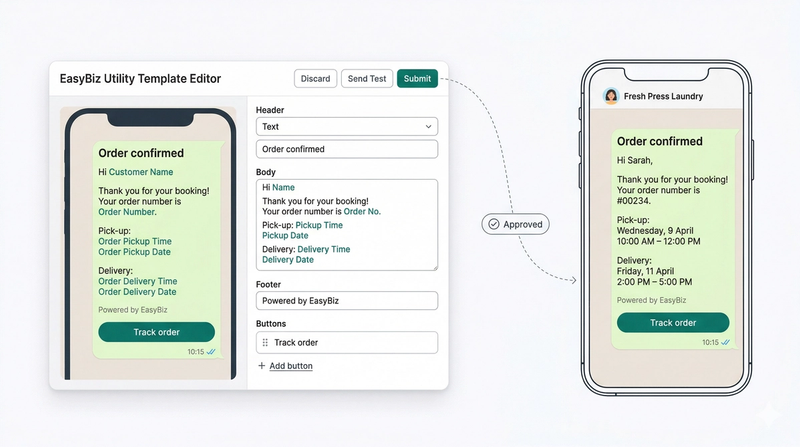
Confirm orders, notify customers about pickups and deliveries, send receipts — automatically, at the right moment.
Read moreTurn on the one pre-built OTP template so customers can log in to your online store with a WhatsApp verification code.
Read more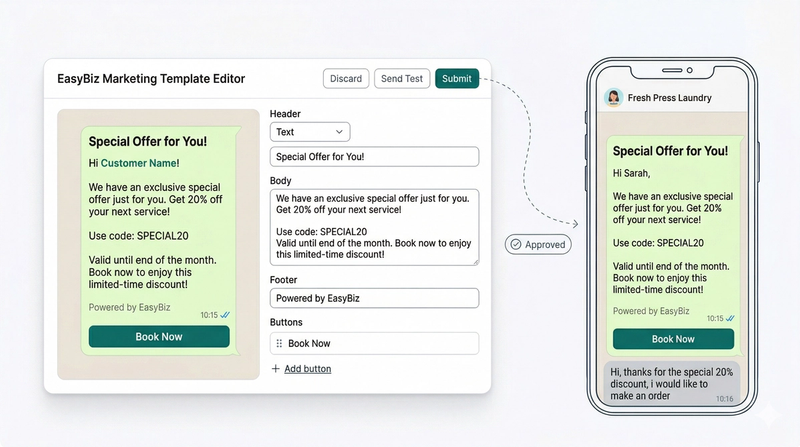
Reach customers who have gone quiet with promotions, seasonal offers, and service announcements — directly on WhatsApp.
Read more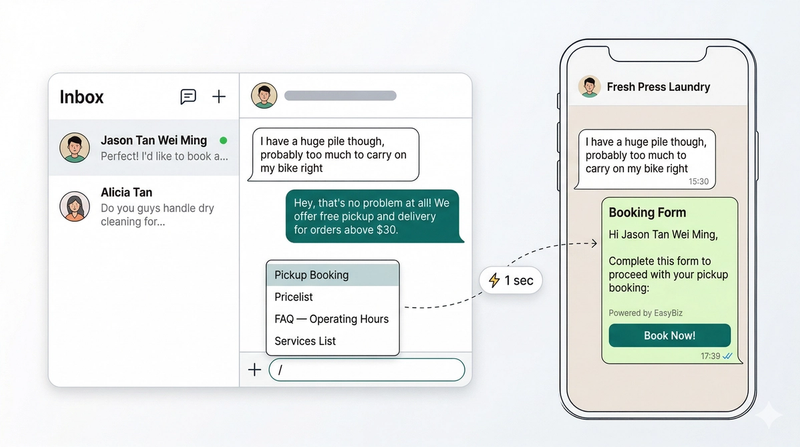
Send pre-written messages and booking forms to active customers with a single keystroke — no WhatsApp approval needed.
Read more