
Introduction to Recurring Scheduler
In this article
Recurring Scheduler helps when a customer has a regular pickup or delivery arrangement. Instead of your staff creating a new order each time, EasyBiz creates the order for you before the scheduled pickup date. The order appears in your normal Orders list, and your staff work on it like any other order. Use it for laundry, dry cleaning, or repair customers who follow a steady routine.
Contents
Contents
Before You Start
A few things need to be in place before a schedule can run:
- The business unit exists, meaning the line of service like Laundry or Repair.
- A licensed online sales channel exists, like your Online Store, because the order is created under one.
- The customer exists, or you create them while adding the schedule.
- The pickup or delivery address is valid, because the order needs one to run pickup and delivery.
Where to Find It
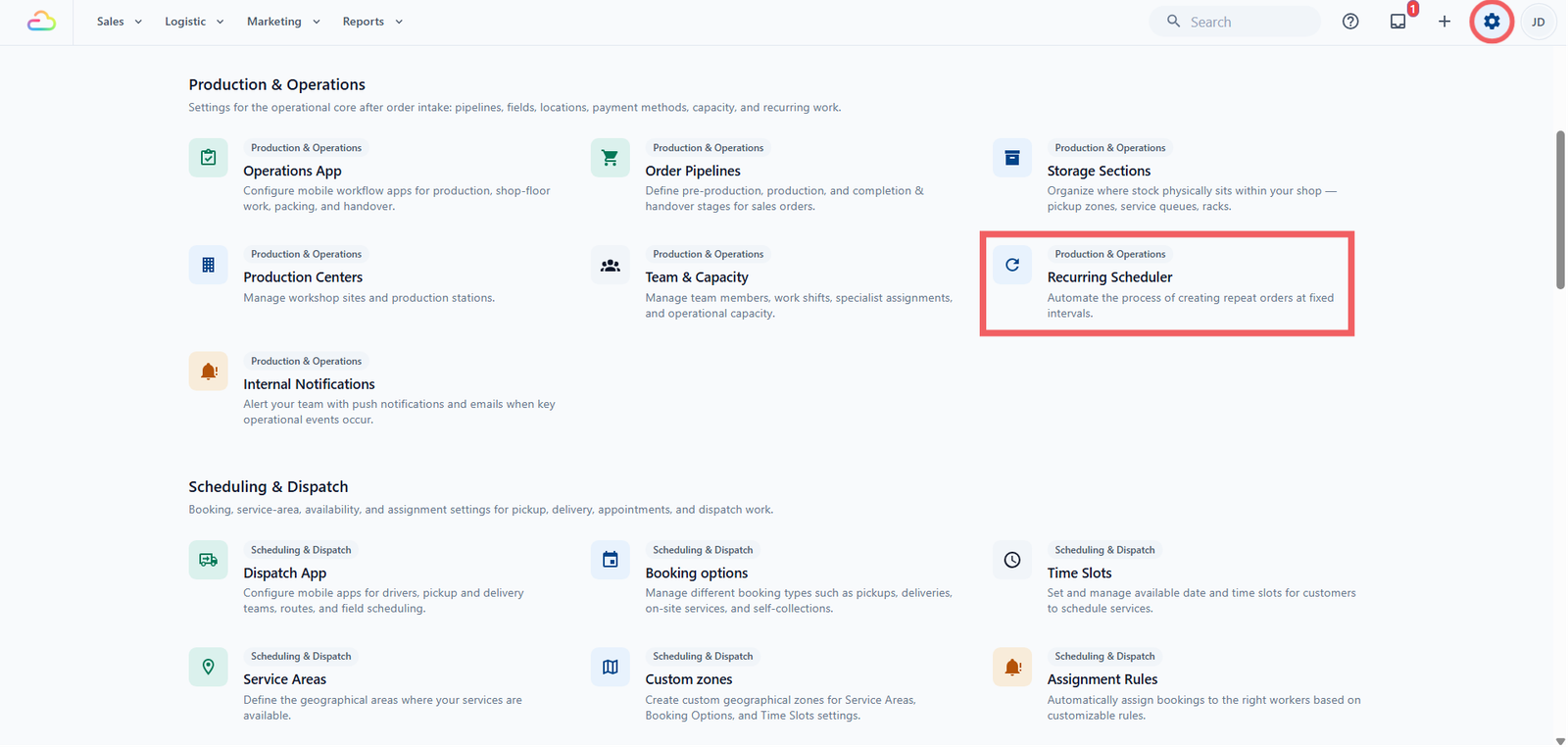
- Click the ⚙️ Settings icon in the top-right corner.
- Under the Production & Operations section, click Recurring Scheduler.
What a Recurring Schedule Is
A recurring schedule is a saved rule that repeats a regular customer's order for you. You set it up once with the customer, address, timing, and a few defaults. From then on, EasyBiz creates the order on its own, ahead of each pickup, so nobody has to key it in every day/week/month.
How It Is Different From a Normal Order
A normal order is a one-time event your staff handle from start to finish. A recurring schedule is a saved instruction that keeps producing orders for you. The real difference is not that one repeats and the other does not. It is everything that follows from the order being created in advance, automatically, with the customer's details already saved.
| - | Normal order | Recurring schedule |
|---|---|---|
| Where you find it | Orders list | Settings, under Recurring Scheduler. Each order it creates appears in your Orders list |
| When the order appears | At booking or walk-in | On the creation date you set, from the pickup day itself up to 9 days earlier, giving staff time to prepare |
| Customer's part | The customer places the order, online or at the counter | The customer takes no action. |
| Address, payment, assignment | Selected once at booking | Saved once on the schedule and applied to every order it creates |
| Editing later | Changes that one order | Editing an order changes only that order. Editing the schedule changes only future orders, not ones already in your Orders list |
The Three Statuses
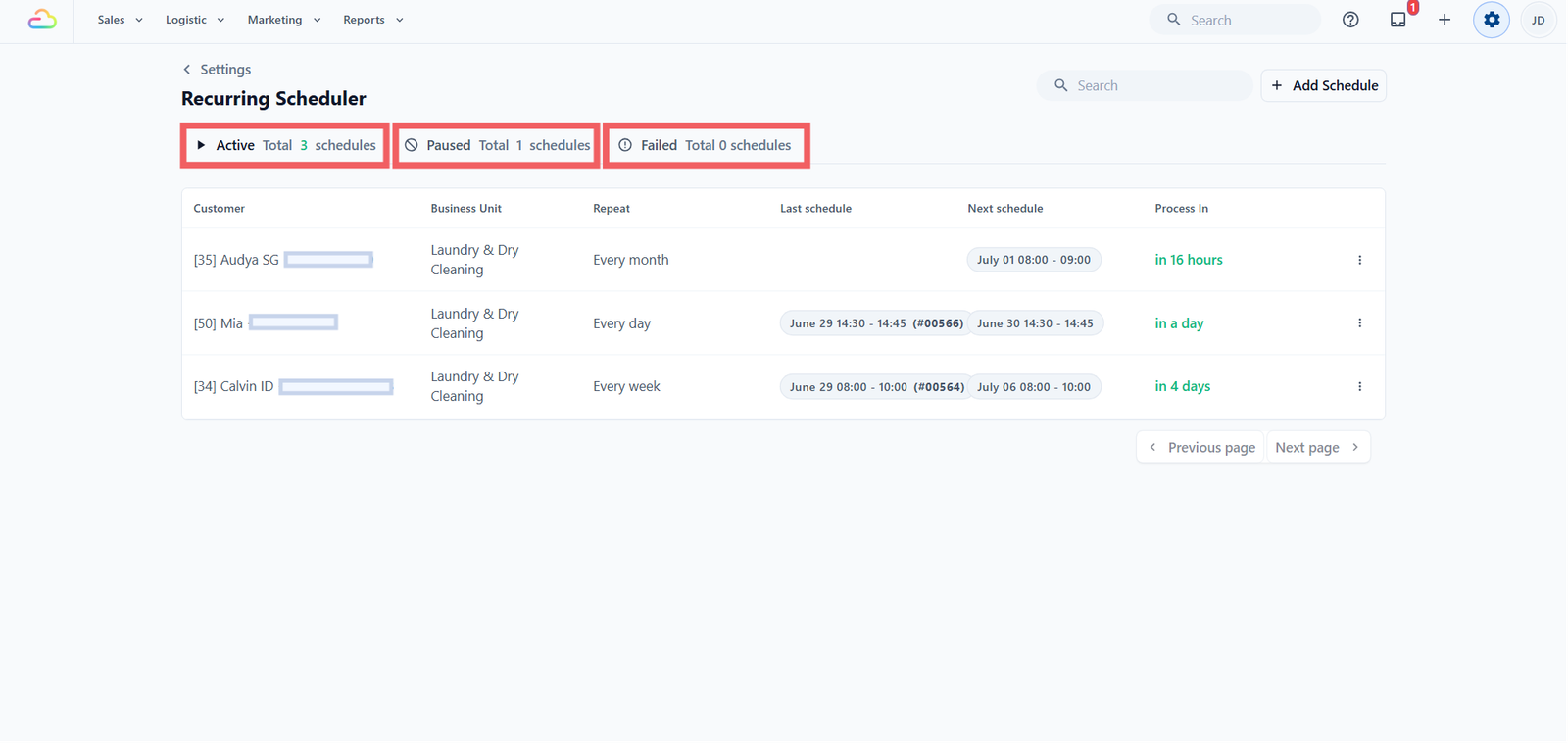
| Status | What it means |
|---|---|
| Active | The schedule is running, and EasyBiz creates the next order when its timer is up. |
| Paused | The schedule is stopped. This covers a schedule you paused yourself, one that has reached its end, a blocked customer, or a missing licence. |
| Failed | EasyBiz tried to create the order but hit an error. It retries twice, ten minutes apart, then marks the schedule Failed. |
How It Connects to the Rest of Your Shop
- Orders -> every created order appears in your normal Orders list for staff to handle.
- Assignment Rules -> if you do not set a fixed worker, the created job follows your normal assignment, the same as any booking. See [Introduction to Assignment Rules].
- Blocking Rules -> a blocked customer pauses the schedule, and a blocked pickup or delivery date shifts to the next open day, with pickup and delivery moving together. See [Introduction to Blocking Rules].
- Tax and Price Lists -> the created order uses the price list for its sales channel and business unit, and tax follows that price list and your company tax setup.
How Recurring Scheduler Works with Blocking Rules
Blocking Rules are EasyBiz's "do not take new bookings" switch. You use Block dates to close days for everyone, like public holidays or a renovation. You use Block customers to pause one account, for unpaid balances or repeated no-shows. See [Introduction to Blocking Rules] for the full picture.
For recurring schedule EasyBiz checks the pickup and delivery dates against Block dates, but not the order creation day. Here is what happens in each case:
- A blocked pickup or delivery date shifts the order. The occurrence moves to the next open day, and a paired pickup and delivery move together so the turnaround gap stays the same. EasyBiz keeps shifting the pair forward until both land on open working days.
- A blocked creation day does nothing. The order is still created on schedule, even if your shop is closed that day, so it is ready in your Orders list when you reopen.
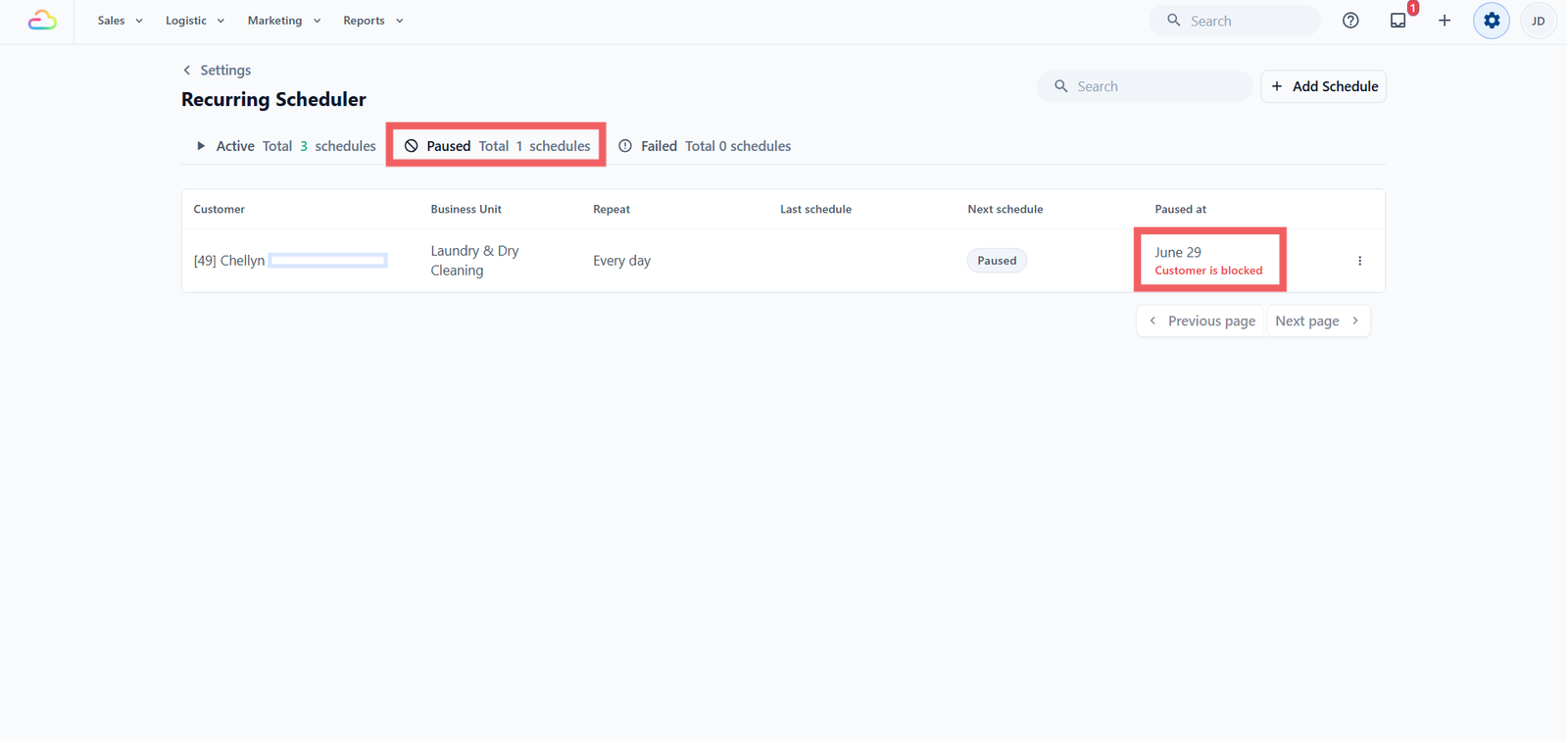
- A blocked customer pauses the whole schedule. EasyBiz stops creating their orders entirely until you unblock them and start the schedule again.
Only when no open day exists before the next repeat, like a long festive closure, is that one occurrence skipped, and the schedule carries on as normal after that. So a blocked date is a detour, while a blocked customer is a full stop.
FAQs
What happens if the customer is blocked?
The schedule is paused. EasyBiz stops creating orders for a blocked customer until you unblock them and start the schedule again.
The customer changed their default address. Does the schedule use the new one?
No. The schedule keeps the address you saved when you set it up. To change it, open the schedule and update the address there.
If I change my price list later, do recurring orders use the new prices?
Yes. The order is created empty and priced when your staff add the items, so it always uses the price list active at that moment, not the one in effect when you created the schedule.
Can I skip one week?
There is no single-week skip button. Pause the schedule, then start it again with a later start date.
What's Next
Now that you know when to use Recurring Scheduler, continue to [Setting Up a Recurring Schedule] to create your first one.
Give feedback
Up next
Setting Up a Recurring ScheduleBuild one repeat rule once, and EasyBiz will create that customer's future orders for you on the dates you choose.
Read more