
Setting Up Blocking Rules
In this article
Blocking Rules stop new bookings when you need a break. Use Block Dates for days the business is closed. Use Block Customers to pause a specific account. Orders already on the calendar are never touched.
Contents
Contents
Two Tabs, Two Uses
| Tab | What it does | When to use |
|---|---|---|
| Block Dates | Closes a date range for everyone | Public holidays, renovations, company breaks |
| Block Customers | Prevents one or more accounts from booking | Disputes, repeated no-shows, fraud suspicion |
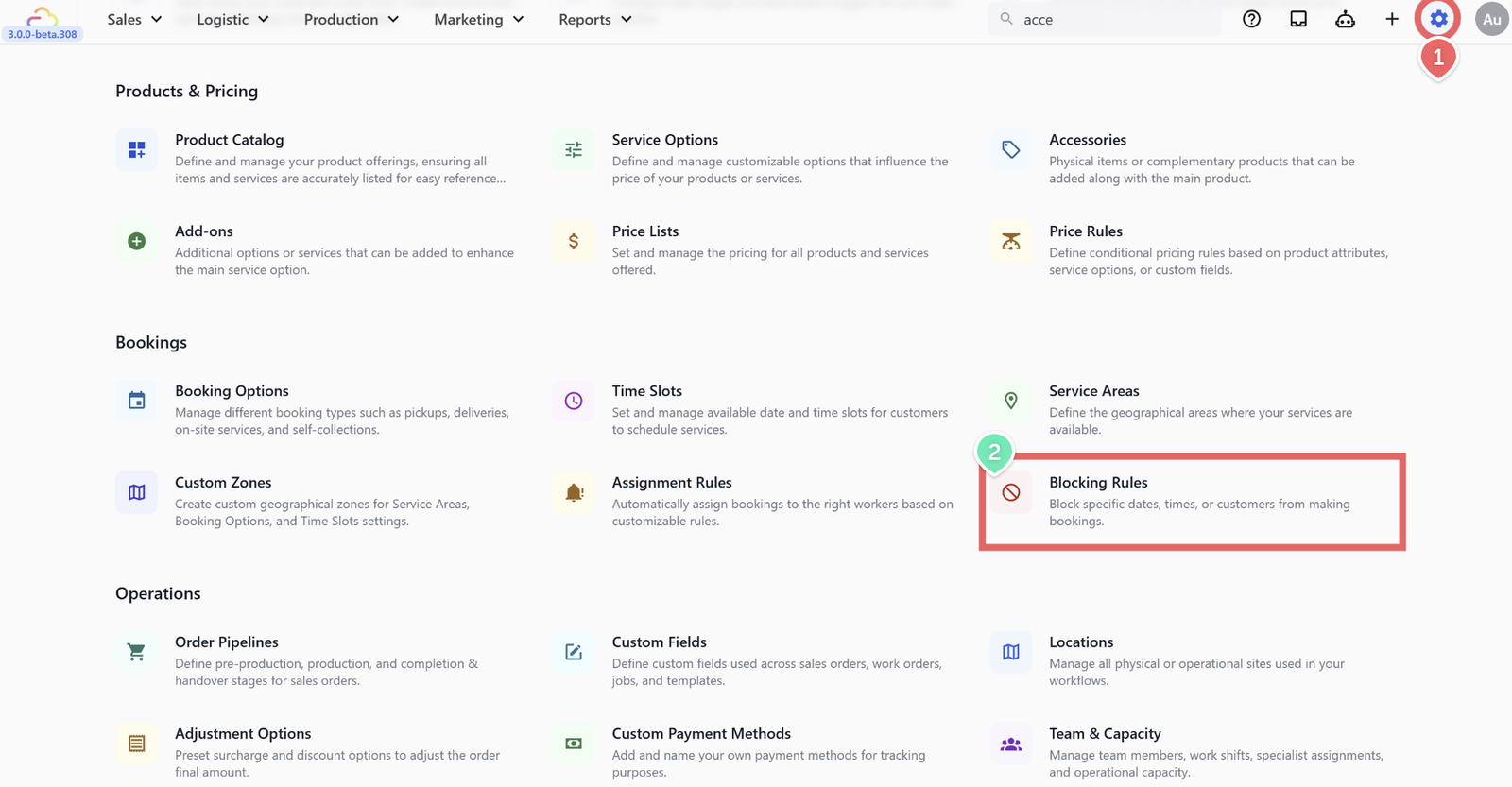
- Click the ⚙️ Settings icon in the top-right corner.
- Under the Bookings section, click Blocking Rules.
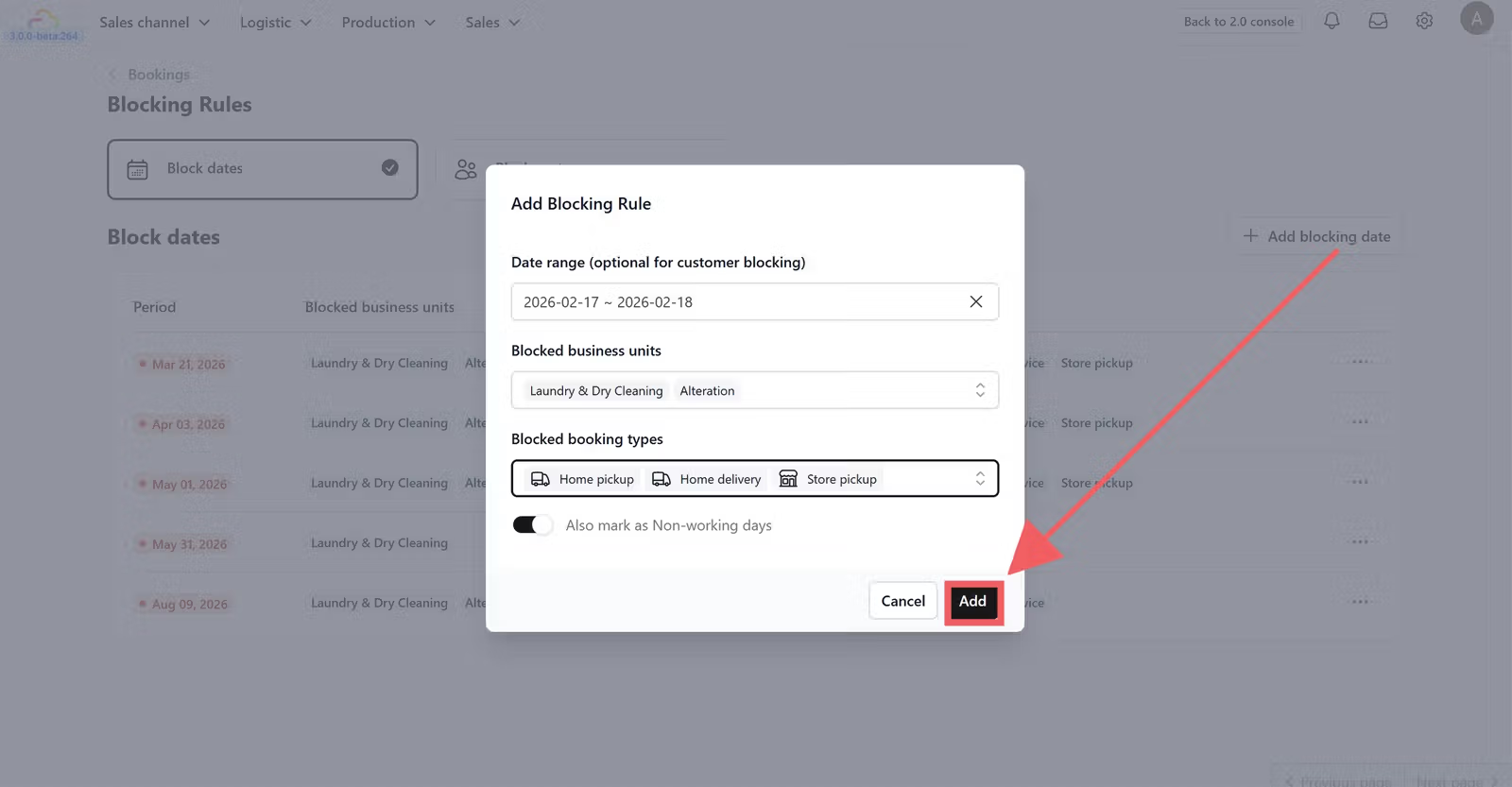
Block Dates
Date range
| Pick this | Result |
|---|---|
| 25 Dec to 25 Dec | Only Christmas Day is blocked |
| 24 Dec to 26 Dec | Three-day closure |
| 1 Feb to 28 Feb | Full month closure |
Blocked business units
| Pick this | Result |
|---|---|
| Empty | Blocks every business unit |
| One unit only | Only that unit is blocked. Others stay open. |
Blocked booking types
| Pick this | Result |
|---|---|
| Empty | Blocks all booking types |
| Pickup and Delivery only | Home services blocked. Store Pickup still open. |
| Store Pickup only | Only the counter is closed. Home services still run. |
Also mark as non-working day
| Pick this | Result |
|---|---|
| OFF | Dates show on the calendar but bookings still allowed |
| ON | Dates are closed and skipped when counting working days for lead time |
Block Customers
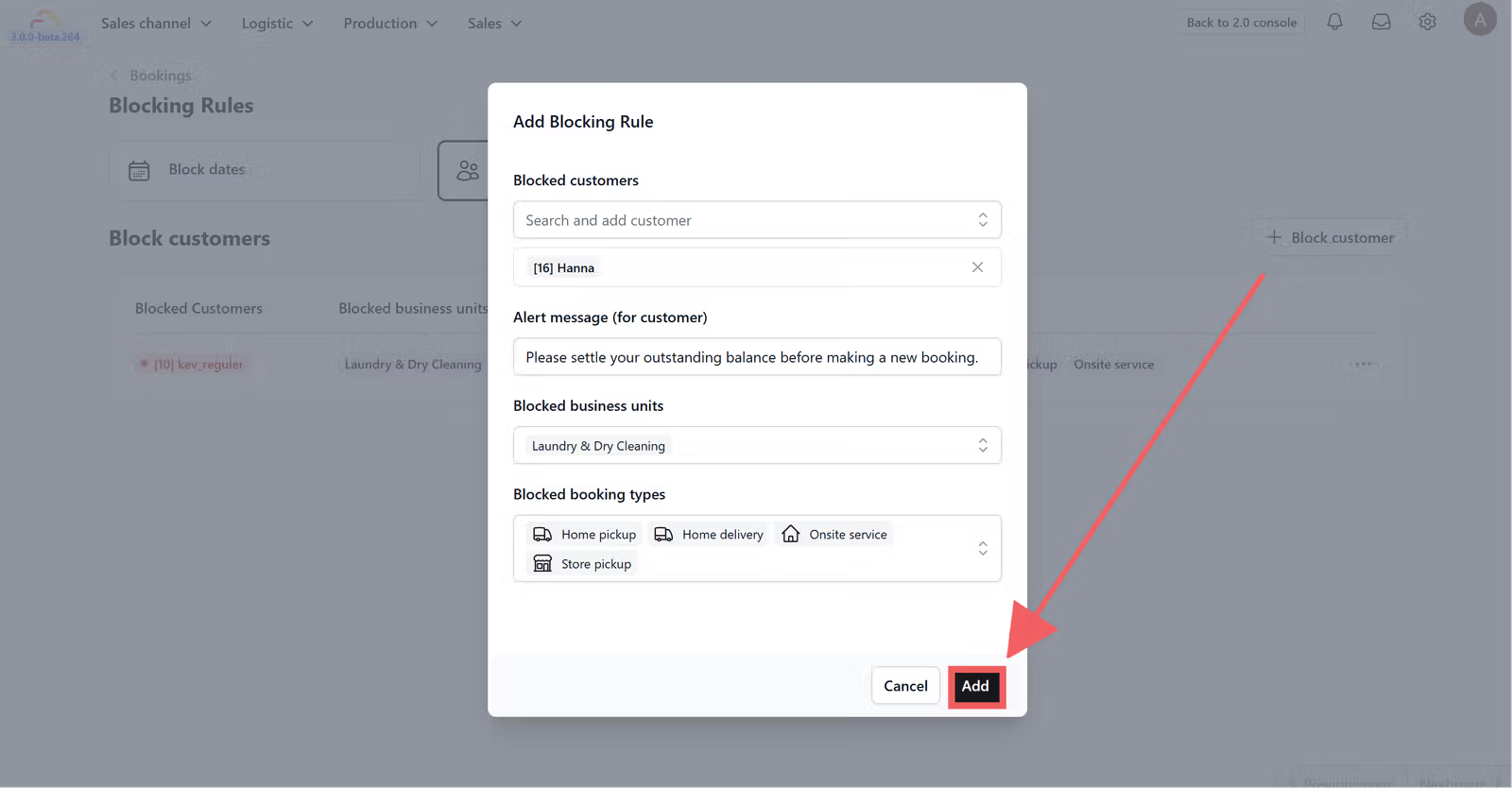
Customers Pick one or more accounts from the list. Only those accounts are affected.
Alert message
| Pick this | Result |
|---|---|
| Empty | Default "Booking is unavailable" message shown |
| Custom text | Your message shown when the customer tries to book |
Blocked business units
| Pick this | Result |
|---|---|
| Empty | Block applies to every business unit |
| One unit only | Customer can still book other units |
Blocked booking types
| Pick this | Result |
|---|---|
| Empty | All booking types are blocked |
| Pickup and Delivery | Customer can still drop off at the store in person |
Date range
| Pick this | Result |
|---|---|
| Empty | Permanent block until you remove the rule |
| 1 Feb to 28 Feb | Block auto-lifts on 1 March |
FAQs
Do I need Blocking Rules before I go live?
Use this only if you already know your first closures — for example upcoming public holidays. You can add rules at any time.
What does "Also mark as non-working day" actually do?
When ON, the blocked days do not count toward your lead time. When OFF, the date is only an annotation and bookings are still allowed.
What happens to orders already scheduled on a newly blocked date?
They stay where they are. You must handle them manually. The block stops new bookings only.
Can I block a customer for only a few weeks?
Yes. Fill in the date range. The block auto-lifts on the end date.
Does blocking a customer cancel their existing orders?
No. Existing orders continue as normal. Only future bookings are stopped.
What's Next
Now that your closures and customer pauses are configured, continue to [Setting Up Assignment Rules] to automatically send each new booking to the right driver or team without any manual dispatch.
Give feedback
Up next
Setting Up Assignment RulesSkip manual dispatch. Send each new booking to the right driver or team automatically based on area, day, time, or business unit.
Read more