
What Is a Mini App?
In this article
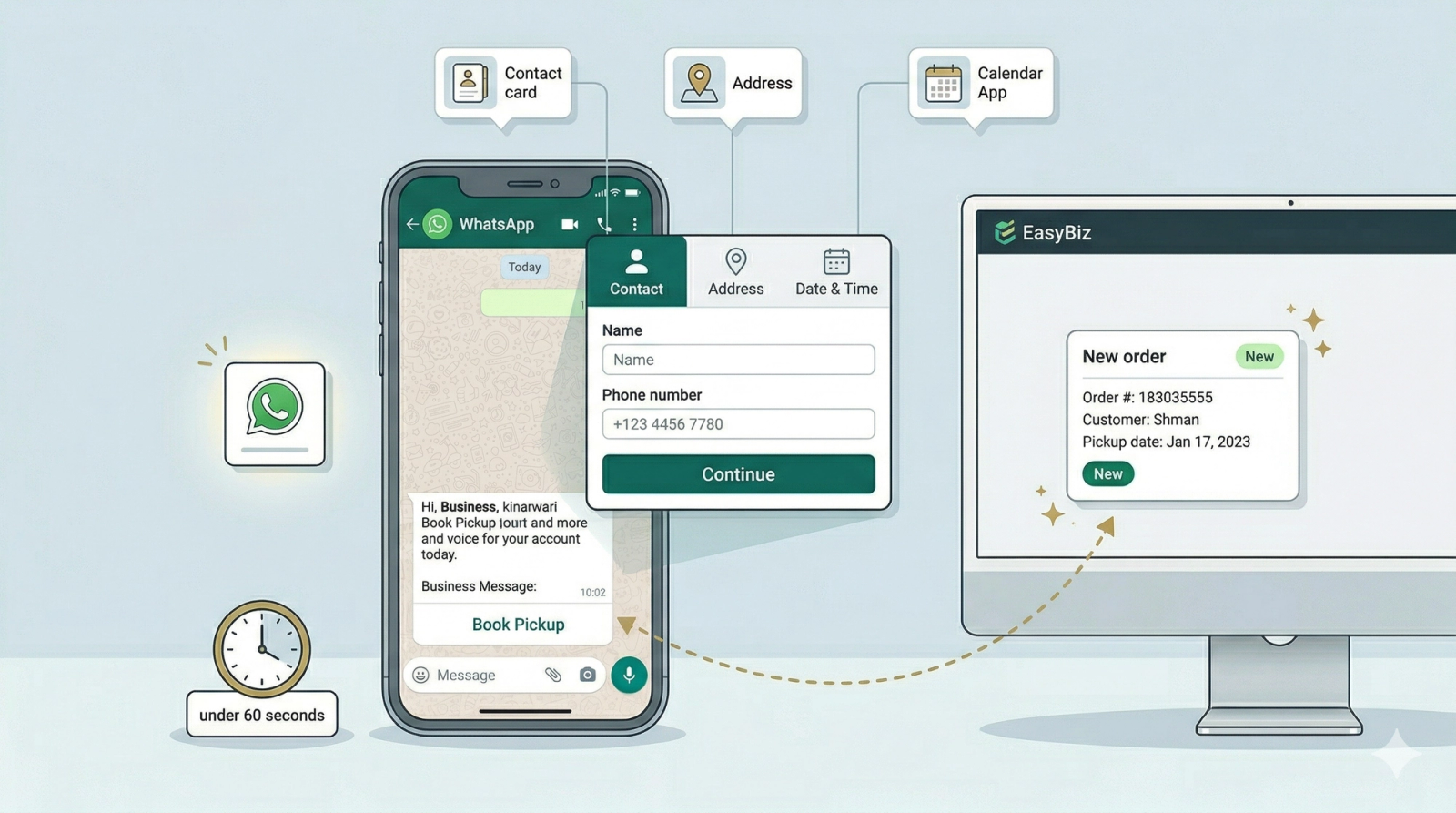
When a customer is ready to book, instead of going back and forth to collect their details, you send them a button - they tap it, fill in a simple form, and the booking lands in your EasyBiz system automatically. There's nothing extra for your customer to download or install. If they have WhatsApp, they can use it. This article explains what Mini Apps are, why they're worth setting up, and everything you need before getting started.
Contents
Contents
What is a Mini App?
A Mini App is a booking form that opens directly inside WhatsApp. When a customer messages you asking about a service, instead of going back and forth to collect their name, address, and preferred time, you simply send them a button. They tap it, fill in their details on a clean step-by-step form, and the booking is created in your EasyBiz system automatically.
There's nothing extra for your customer to download or install. If they have WhatsApp, they can use it.
Who Is This For?
Any service business that takes bookings — including laundry, dry cleaning, bag repair, shoe repair, and clothing alteration businesses. If your team currently collects booking details through WhatsApp messages, phone calls, or manual forms, Mini Apps can replace that process entirely.
How It Helps Your Business
If you're still collecting bookings through back-and-forth messages, you're losing time and sometimes customers. Here's what changes when you use Mini Apps:
- Stop chasing information. The form collects everything you need — name, address, time slot, service type — all in one go. No more asking the same question three times.
- Capture bookings faster. The moment a customer shows interest, you send the form. The faster they can confirm, the less likely they are to change their mind or go elsewhere.
- Your system stays up to date automatically. Every completed booking creates a new order in EasyBiz right away — no manual entry by your staff.
- Returning customers don't repeat themselves. EasyBiz recognises existing customers and pre-fills their saved details, making repeat bookings even faster.
Before You Start
Before you can set up and send Mini Apps, make sure your WhatsApp Business account is connected to EasyBiz — this is what allows Mini Apps to appear as interactive messages inside your customers' WhatsApp chats.
Where to Find Mini Apps
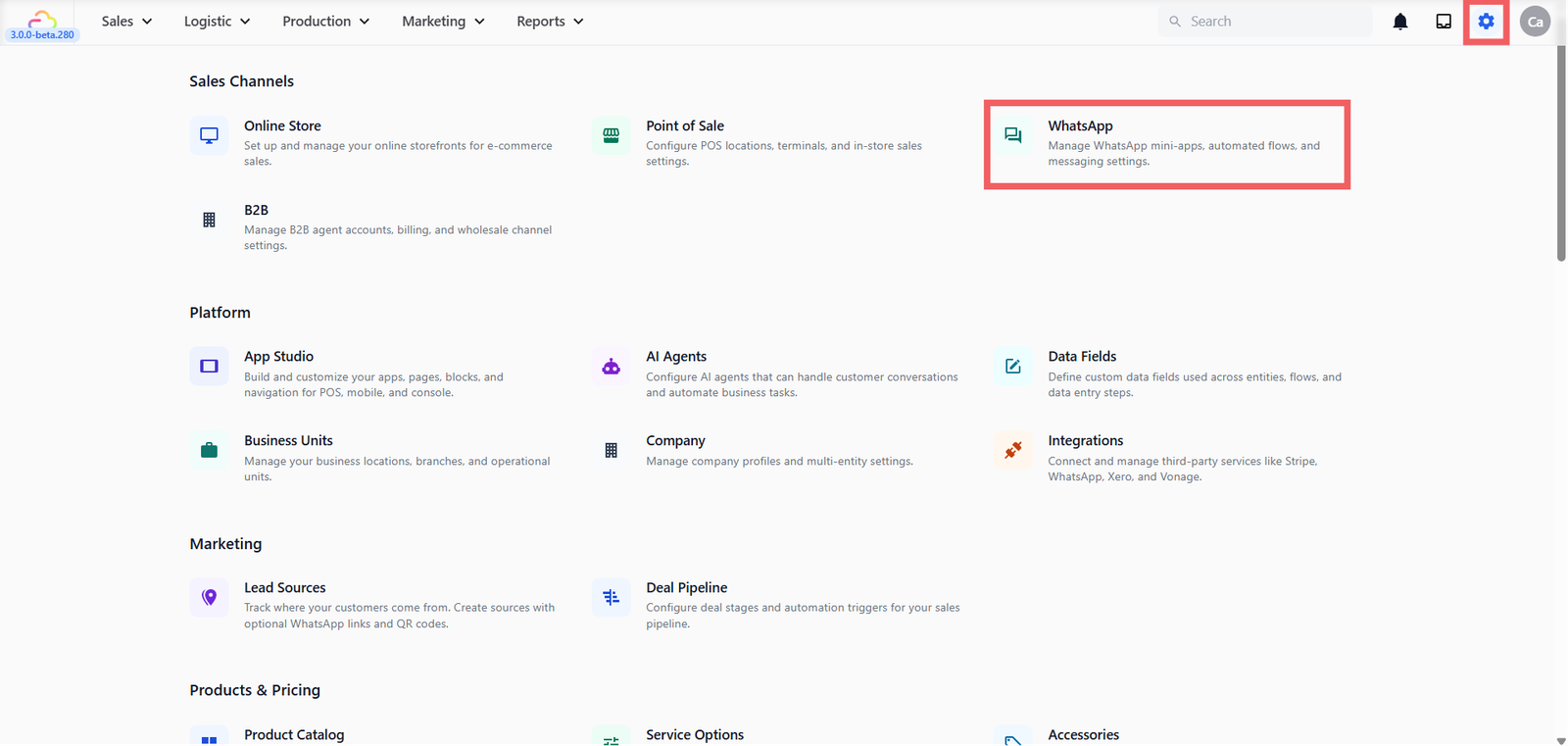
- Go to Settings from the top navigation bar
- Under Sales Channels, click WhatsApp
- Choose the Mini-Apps Tab.
Which Mini App Should I Use?
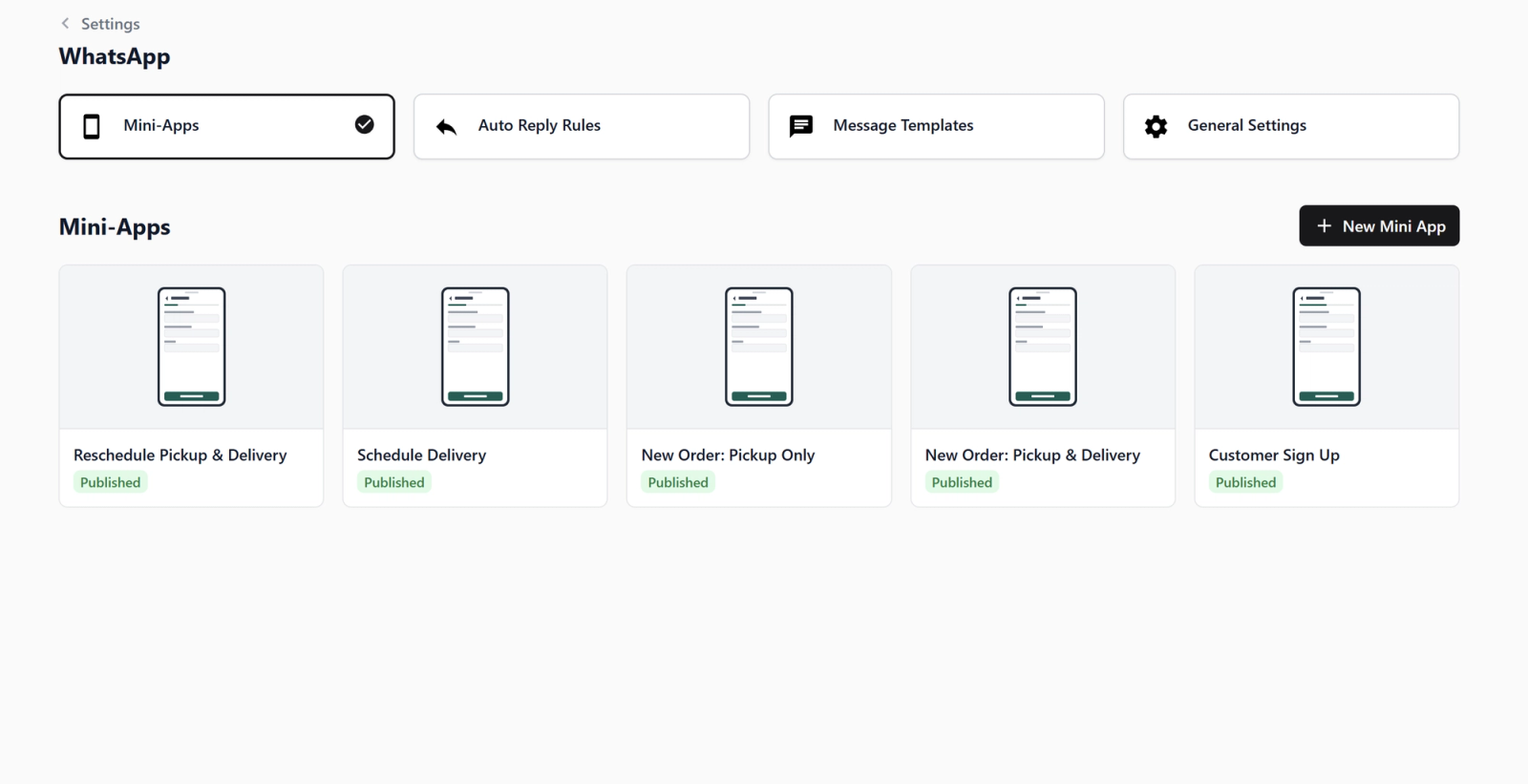
EasyBiz provides five ready-to-use templates so you can get started without building anything from scratch. When you click + New Mini App, you'll see these options:
| My Business Type | Use This Mini App |
|---|---|
| Laundry / Dry Cleaning | Home Pickup & Delivery Booking |
| Bag Repair / Shoe Repair / Clothing Alteration | Home Pickup Booking |
| Returning a completed order to customer | Home Delivery Booking |
| Customer wants to reschedule existing booking | Pickup & Delivery Reschedule |
- Pickup & Delivery Booking: The customer fills in one form to book both a home pickup and a return delivery at the same time. Best for laundry and dry cleaning businesses, where you can give customers a rough turnaround time upfront so they can lock in both dates in one go.
- Pickup Booking: The customer books a pickup only. The return delivery is arranged separately once the job is done. Best for repair and alteration businesses such as bag repair, shoe repair, or clothing alteration where you don't know the finish date at the time of pickup.
- Home Delivery Booking: The customer chooses a delivery date and time for their completed order. This is sent to the customer after the job is done and their item is ready to be returned. Works for any business that returns items to customers at home.
- Reschedule Bookings (Pickup and Delivery): This template allows a customer to move an existing booking to a new date and time without having to call or message you to rearrange. Customers simply fill in their contact details and new preferred date and time.
- Customer Sign Up: This simple, two-screen form is designed just to collect a new customer's contact details and address. It is ideal for onboarding new walk-in customers or capturing leads without immediately scheduling a pickup or delivery.
- Blank Mini App: Start from scratch and build your own custom form. This is for businesses with specific needs that don't fit the templates above.
How the Mini App Works
Here's what happens from the moment you send a Mini App to when the booking lands in your system:
Step 1 — You send the form. While chatting with a customer in your WhatsApp Inbox, you tap the Mini App button and send them the booking form with one click.
Step 2 — The customer fills it in. The customer taps the button in WhatsApp and sees a simple, step-by-step form. They enter their address, pick a time slot, and confirm — all without leaving WhatsApp.
Step 3 — The booking is created. As soon as the customer submits the form, the order appears in your EasyBiz console automatically. No manual entry needed.
What's Next
Pick the right Mini App for your business and follow the step-by-step setup guide:
Give feedback
Up next
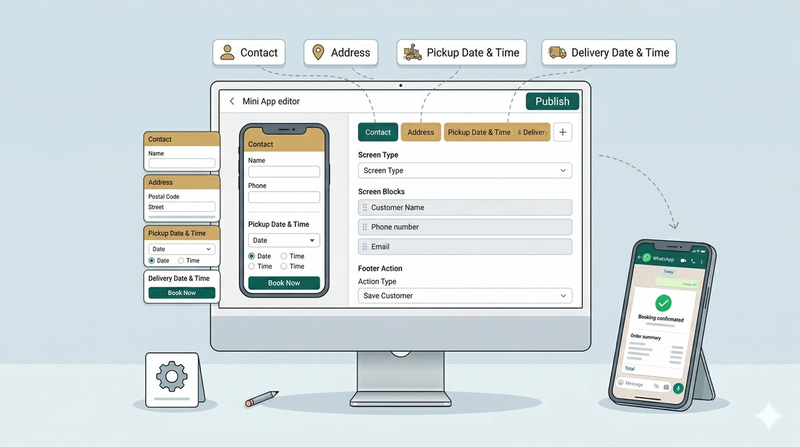
Setting Up a New Order: Pickup & Delivery Mini AppLet customers book a home pickup and return delivery in one WhatsApp form — ideal for laundry and dry cleaning businesses.
Read more